
Export SQL Results Beautifully.
Transform SQL Server query results into polished Excel, HTML and image exports — edit data with Smart Update, import files with Smart Import, or batch run SQL scripts with Smart Bulk SQL — directly inside SSMS.
- No subscription required
- Works offline
- Easy installation
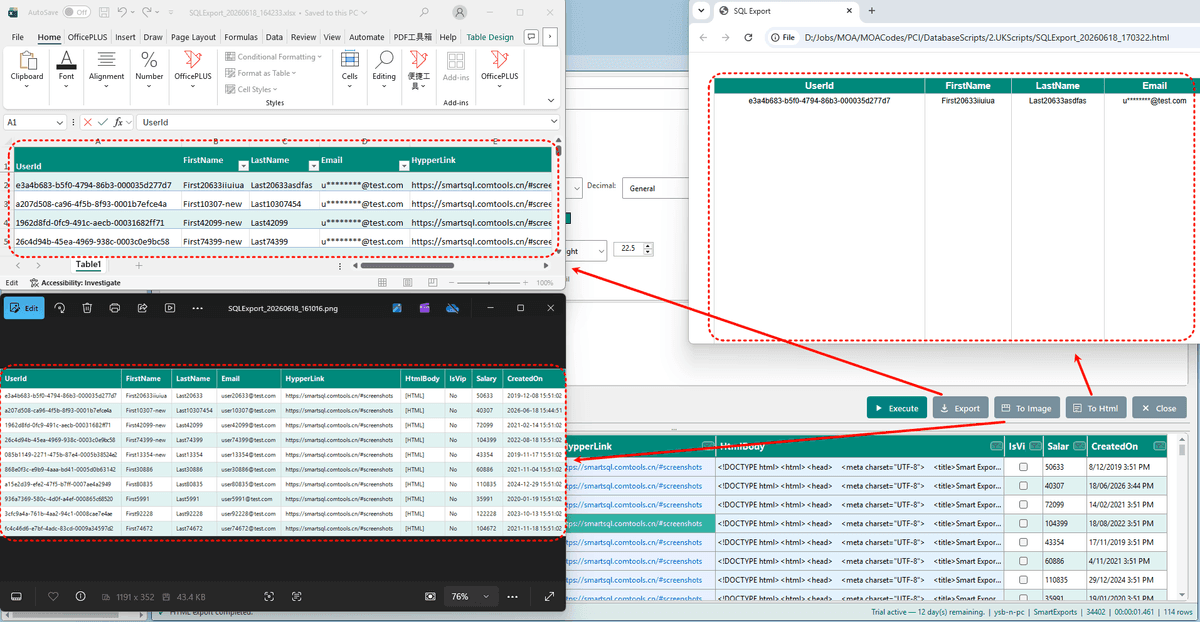
Export beautifully. Edit inline. Import in bulk. Batch run scripts.
Professional exports, Excel-like grid editing, file-to-table import, and bulk SQL script execution — all built for SQL Server developers inside SSMS.
Excel Export
Export query results to polished Excel spreadsheets with formatting preserved.
HTML Export
Generate presentation-ready HTML reports from your query results.
Image Export
Capture query grids as high-quality images for documentation and sharing.
Modern Templates
Choose from professional export templates designed for clarity.
Template Customization
Adjust layouts, fonts, colors, and branding to match your workflow.
Multiple Export Styles
Switch between export styles to fit reports, dashboards, or client deliverables.
Data Masking
Mask sensitive columns before export to protect confidential data.
Column Mapping
Rename and reorder columns for cleaner, client-friendly output.
Query History
Re-export previous queries without re-running them.
One-Click Export
Right-click any result grid and export in seconds.
Native SSMS Integration
Works entirely inside SQL Server Management Studio — no context switching.
Lightweight Plugin
Minimal footprint. Installs quickly and stays out of your way.
Smart Update
Edit query results in a grid and write INSERT, UPDATE, and DELETE back to the database.
Smart Bulk SQL
Queue SQL script files and batch execute them with concurrent runs and execution history.
Smart Import
Bulk import Excel, CSV, HTML, and JSON into SQL Server tables with mapping, Upsert, and streaming load.
Edit database data like Excel.
Edit query results like Excel — write back to SQL Server.
Unlike Smart Export's focus on polished exports, Smart Update lets you view, filter, and edit query results inline — then write changes back to SQL Server with INSERT, UPDATE, and DELETE.
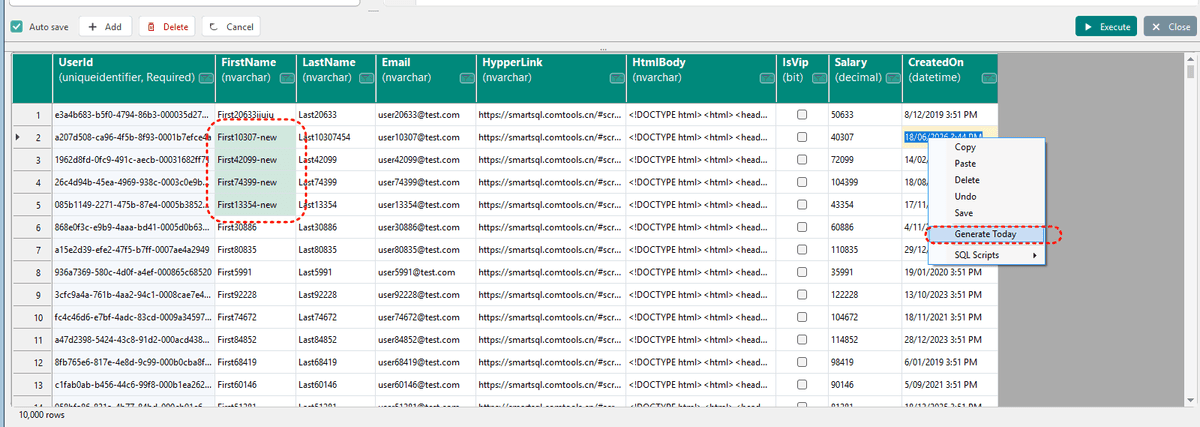
Excel-like Grid Editing
Modify cells, add rows, and delete records directly in the result grid.
Auto & Manual Save
Save on row leave or batch-commit changes when you're ready.
Schema Browser
Browse tables on the left, double-click to generate SQL and execute.
Object Explorer Entry
Right-click any table in SSMS to open Smart Update with SQL pre-filled.
Column Filters & Sort
Filter and sort columns without leaving the editable grid.
SQL Script Generation
Generate WHERE, IN clauses, and INSERT/UPDATE/DELETE/MERGE scripts.
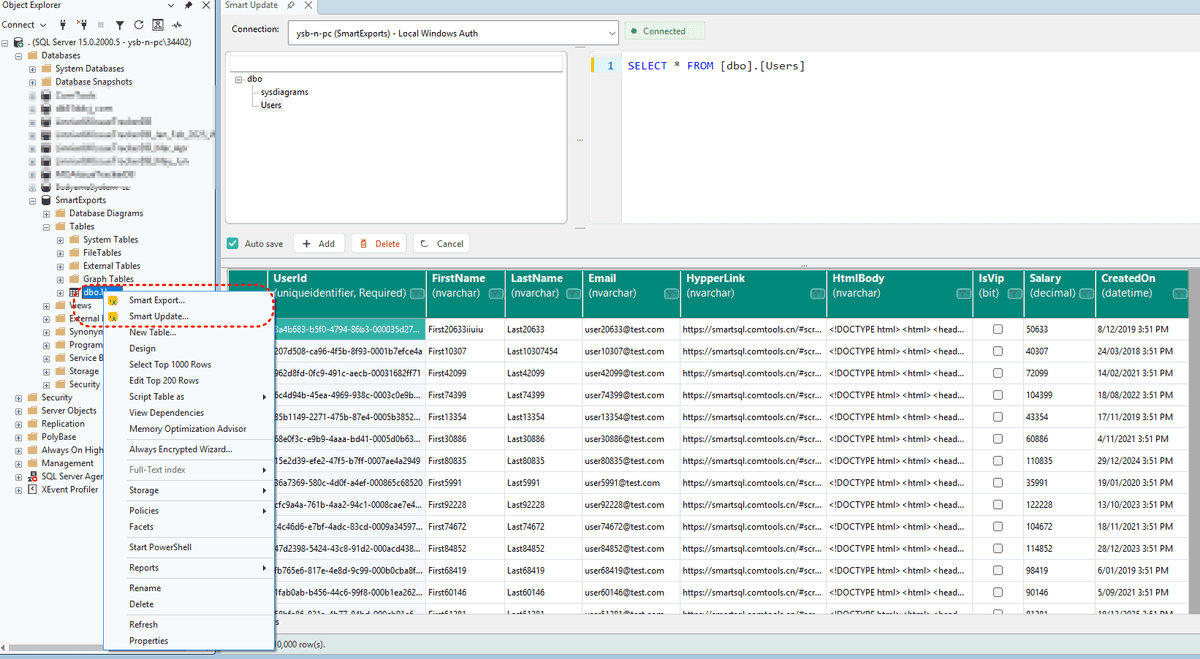
SSMS Integration
Right-click a table to auto-fill SELECT and connect.
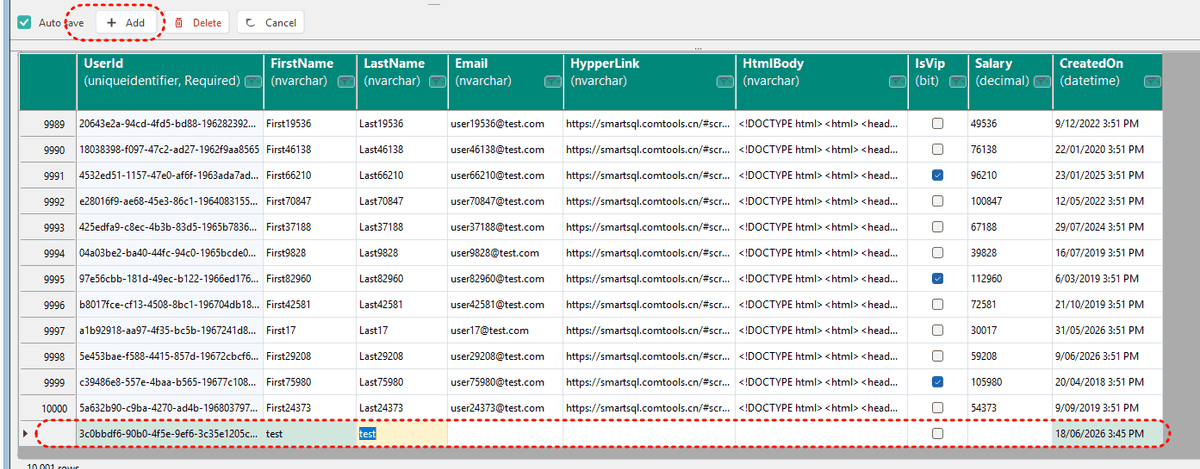
Insert Rows
Add records inline — new rows are highlighted in green.
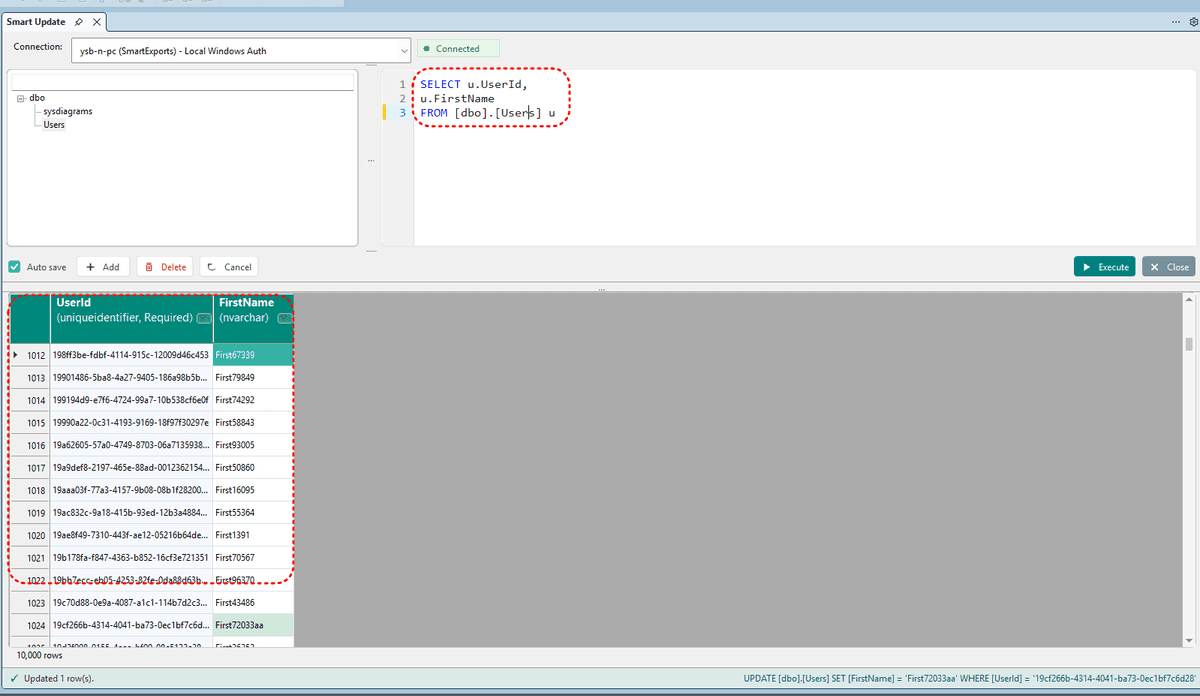
Visual Change Tracking
Modified, saved, and new rows use distinct colors.
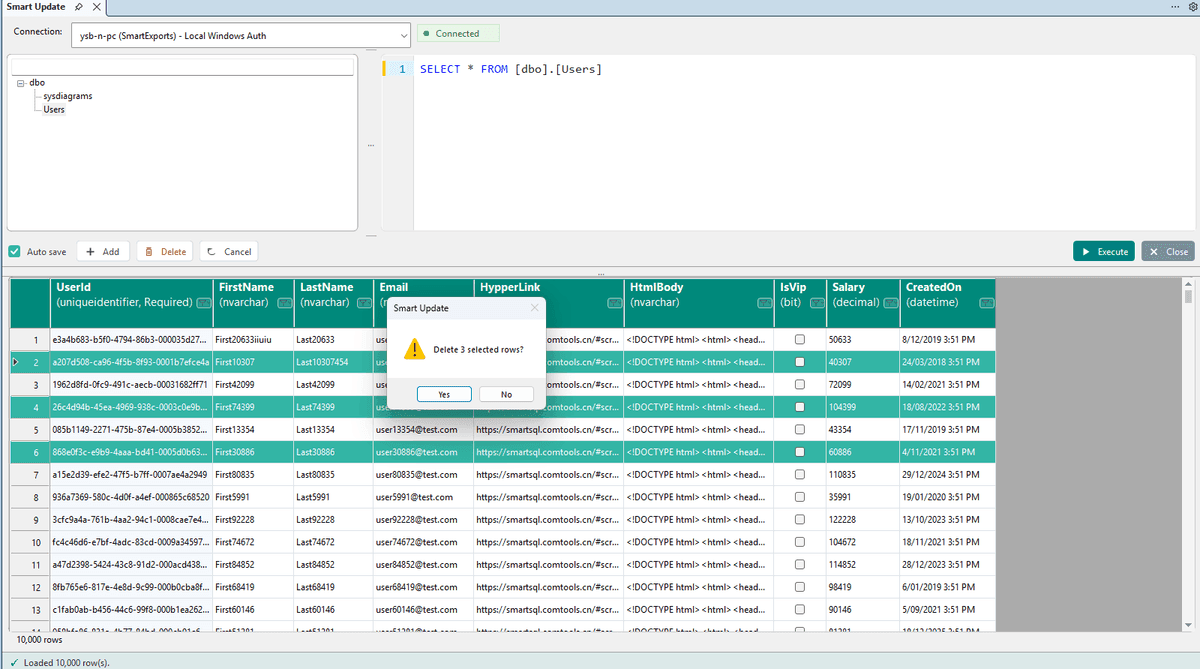
Delete Rows
Multi-select row headers and batch-delete with confirmation.
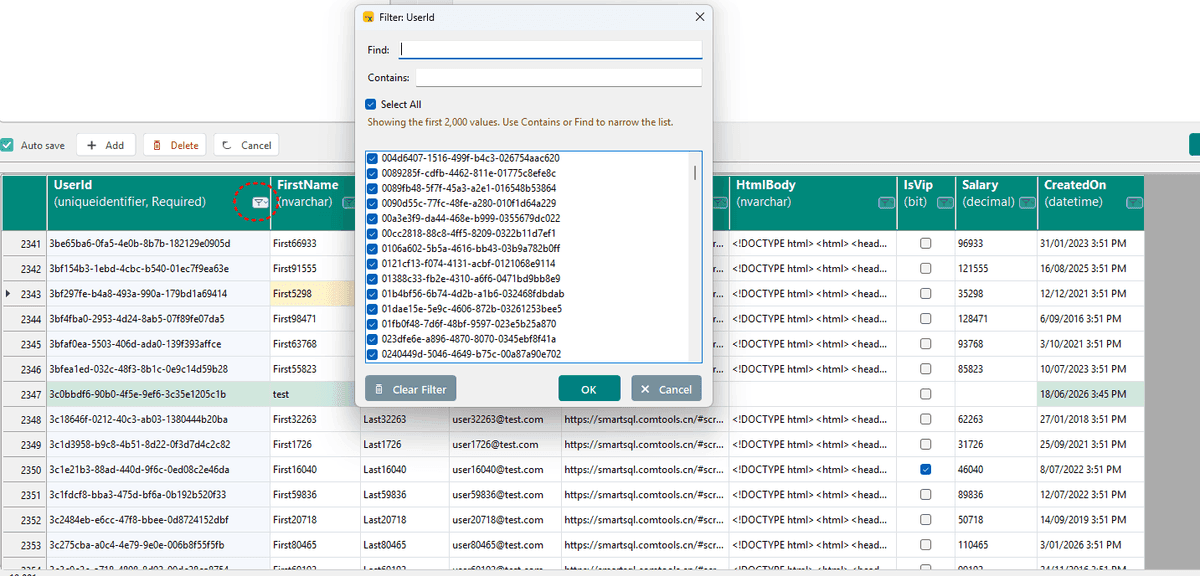
Column Filters
Filter columns from the header — clear all with one click.
Bulk import files into SQL Server.
Import Excel, CSV, HTML, and JSON into SQL Server tables — with column mapping, Upsert, and streaming bulk load.
Load Excel, CSV, HTML tables, or JSON into any table — with visual column mapping, Insert or Upsert modes, and streaming bulk import for large files. Ideal for data migration, initialization, and batch backfill.
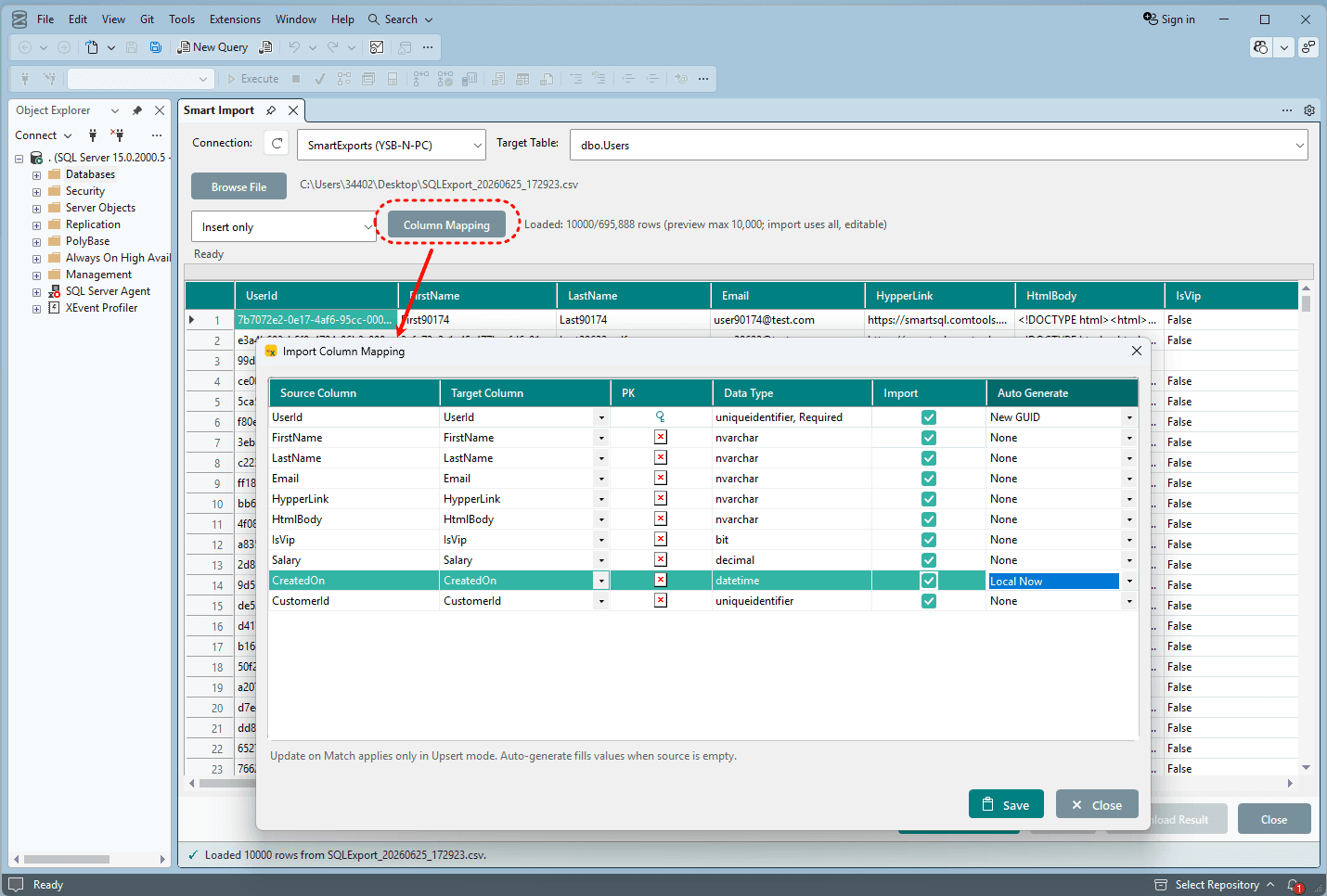
Multi-Format Files
Import Excel (.xlsx / .xlsm), CSV (RFC 4180 quoted newlines), HTML tables, and JSON.
Insert & Upsert
Insert only for new rows, or Upsert by primary key — update matched rows, insert the rest.
Visual Column Mapping
Map source columns to target columns, skip fields, and control Upsert update behavior per column.
Searchable Target Table
Pick the destination table from a searchable dropdown — fast even with hundreds of tables.
Large File Streaming
Preview up to 10,000 editable rows; import all rows via streaming CSV read and 5,000-row bulk batches.
Import Result Reports
Live progress bar, per-row success/failure details, downloadable report, and open folder when done.
Import Configuration
Select file, target table, import mode, and map columns with auto-generated fields.
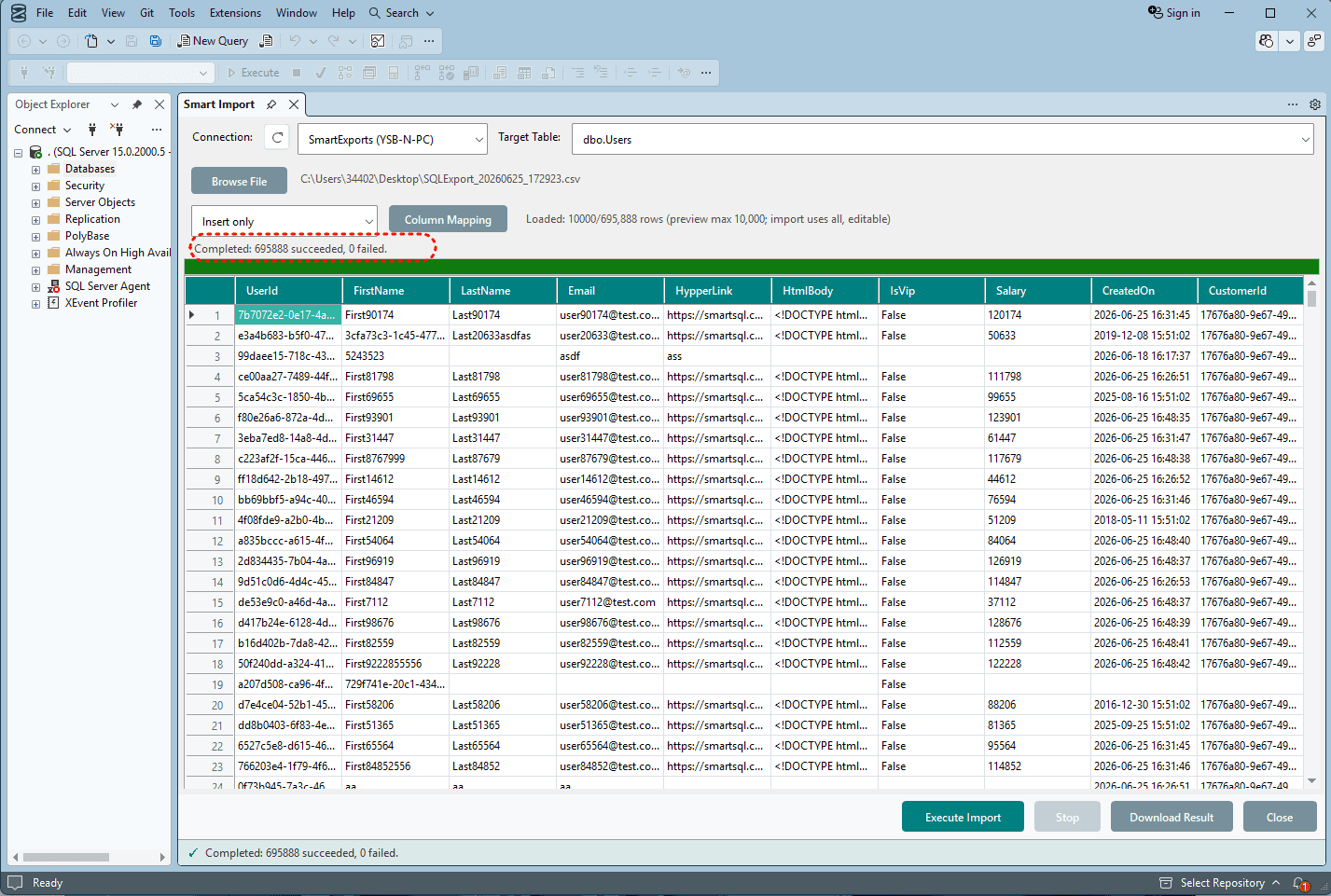
Import Results
Real-time progress, per-row ImportResult, and download full report when finished.
Batch run SQL scripts at scale.
Batch execute SQL script files — with concurrent runs, scheduling, and full execution history.
Deploy migrations, seed data, or run maintenance scripts across dozens of .sql files — without opening each one manually. Queue files, execute concurrently, and review every result in one place.
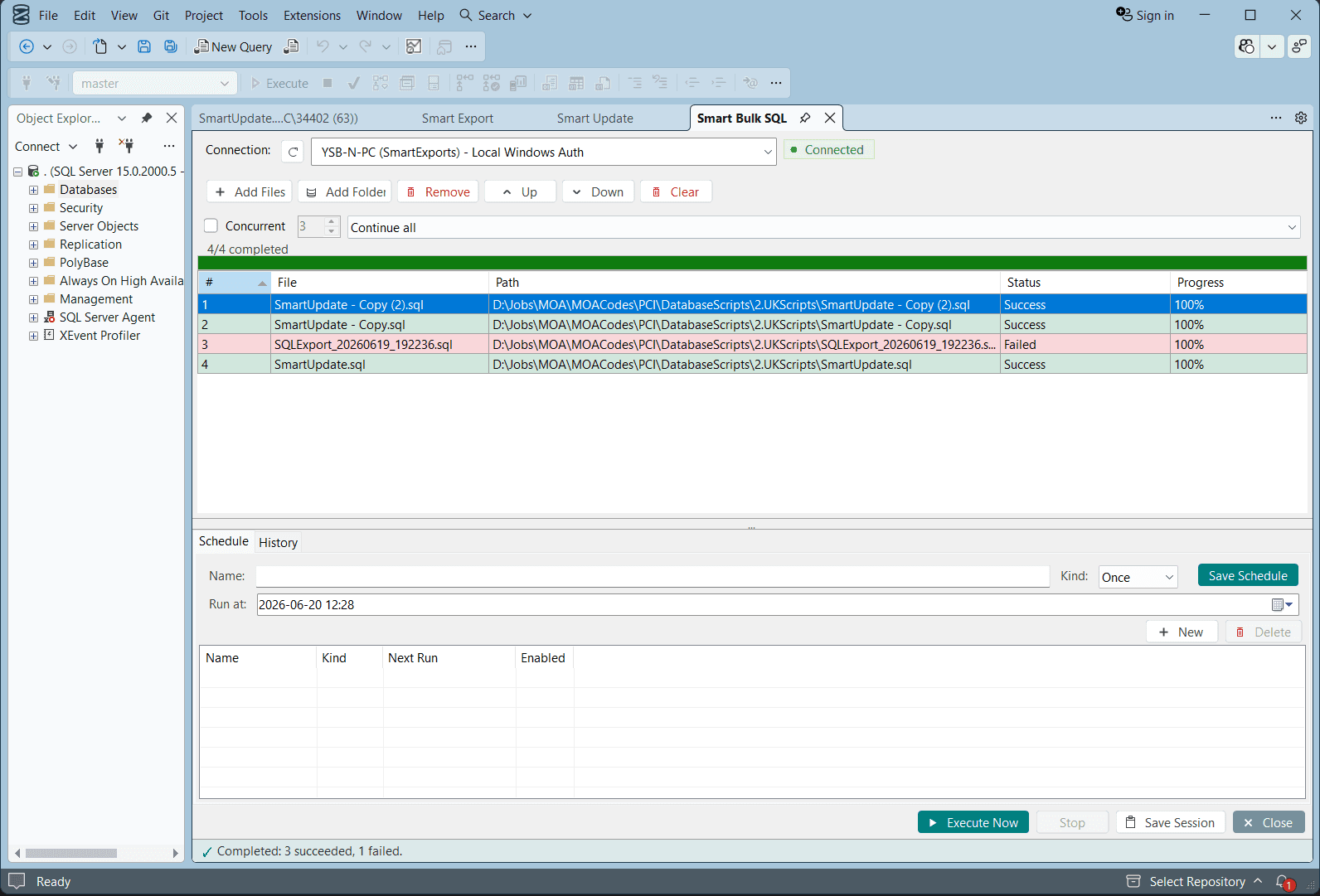
Batch File Queue
Add individual SQL files or entire folders. Reorder, remove, or clear the queue.
Concurrent Execution
Run multiple scripts in parallel with configurable concurrency limits.
Live Progress
Per-file status, progress bars, and a summary of succeeded vs failed scripts.
Error Handling
Choose to continue on error or stop. View detailed error messages per file.
Schedule Runs
Schedule one-time batch execution for a specific date and time.
Execution History
Review past runs with per-file rows affected, duration, and error details.
Batch Execution Queue
Add files, set concurrency, and execute — with live status for every script.
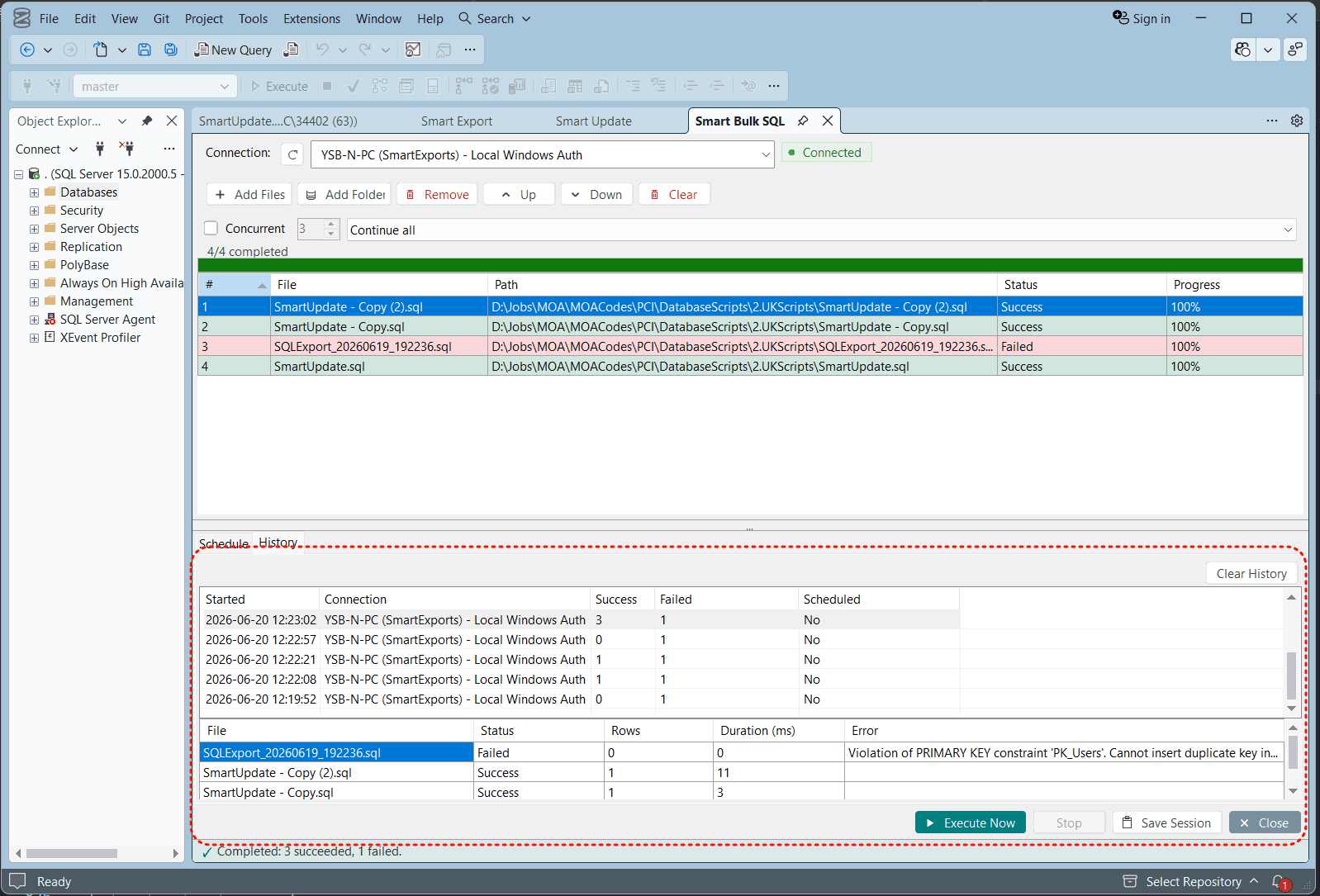
Schedule & History
Schedule runs and review past sessions with row counts, duration, and errors.
See it in action
Export workflows and inline editing — all within SSMS.
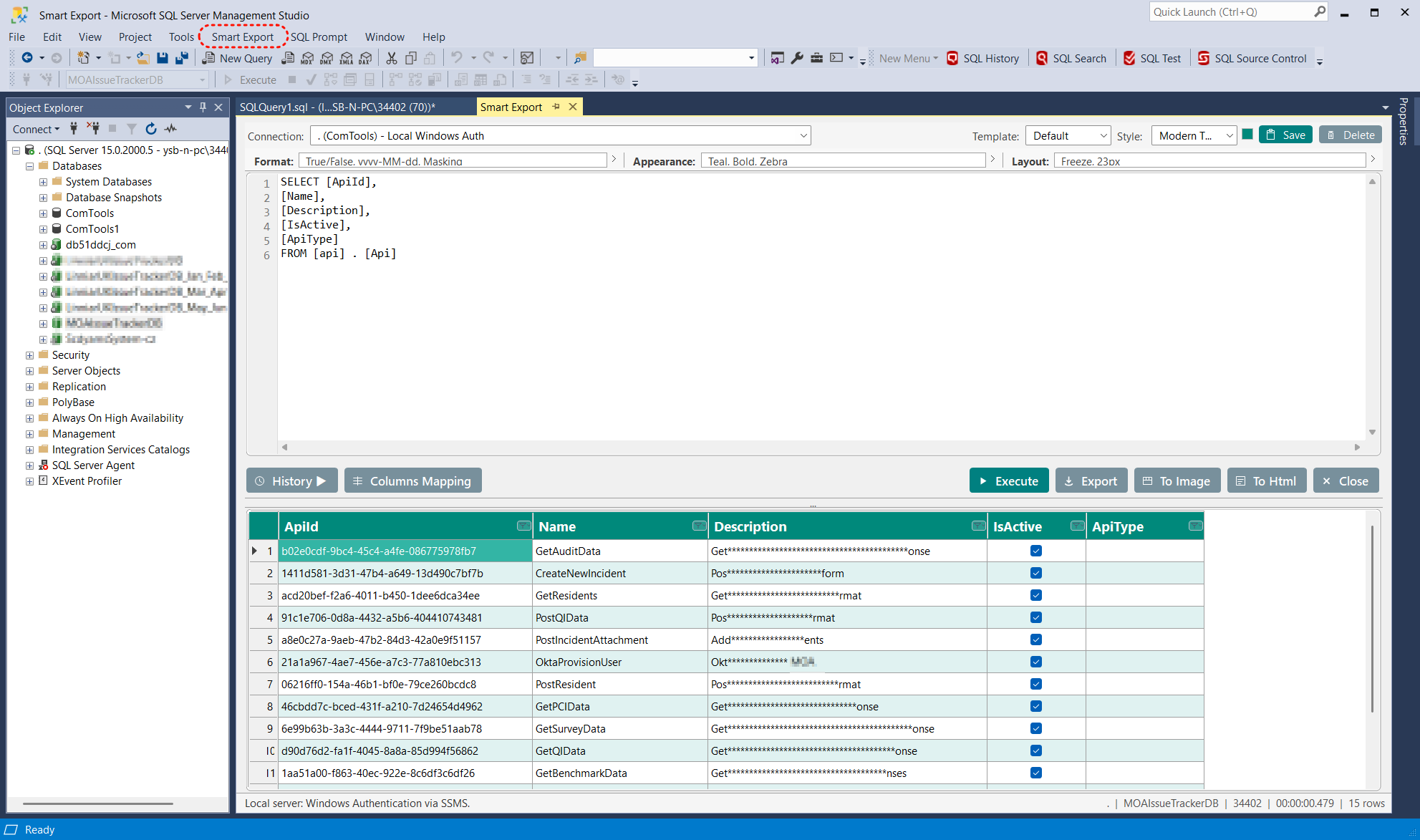
Export Editor
SQL editor, connection picker, and export controls in one window.
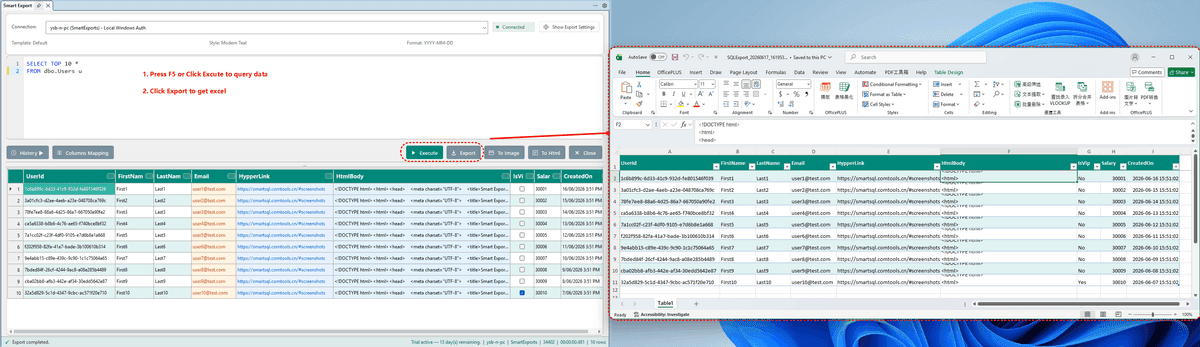
Excel Export
Polished spreadsheets with templates, zebra stripes, and filters.
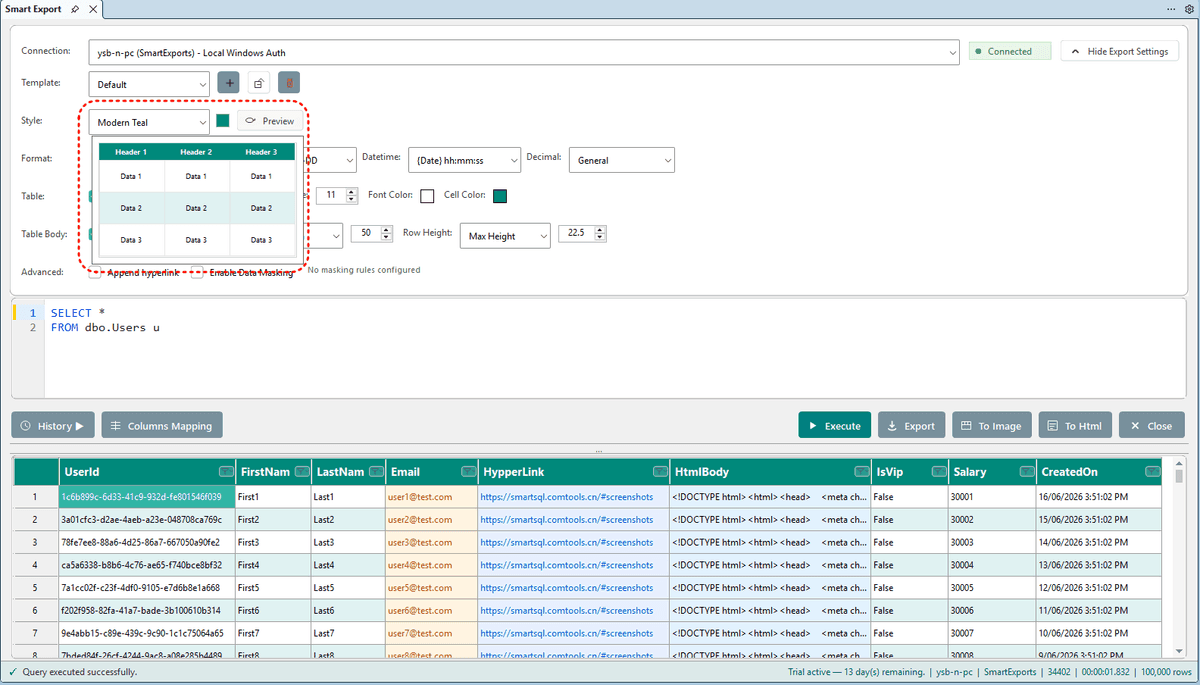
Style Presets
Seven built-in themes plus custom header, zebra, and column settings.
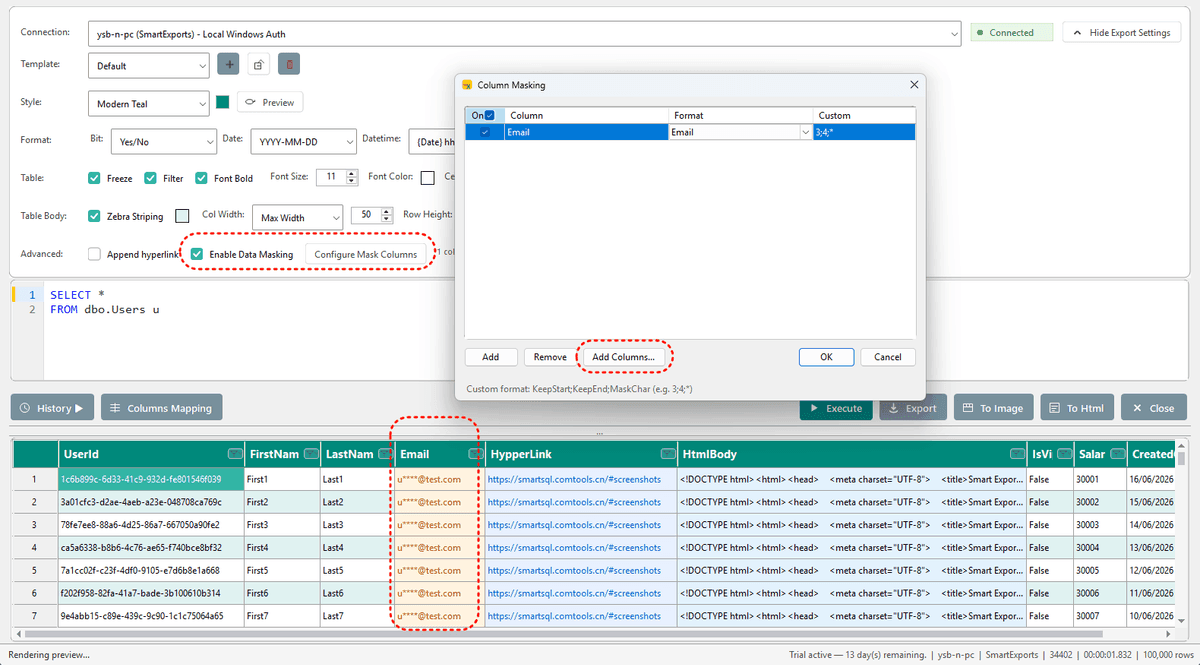
Data Masking
Mask sensitive columns before export with built-in or custom rules.
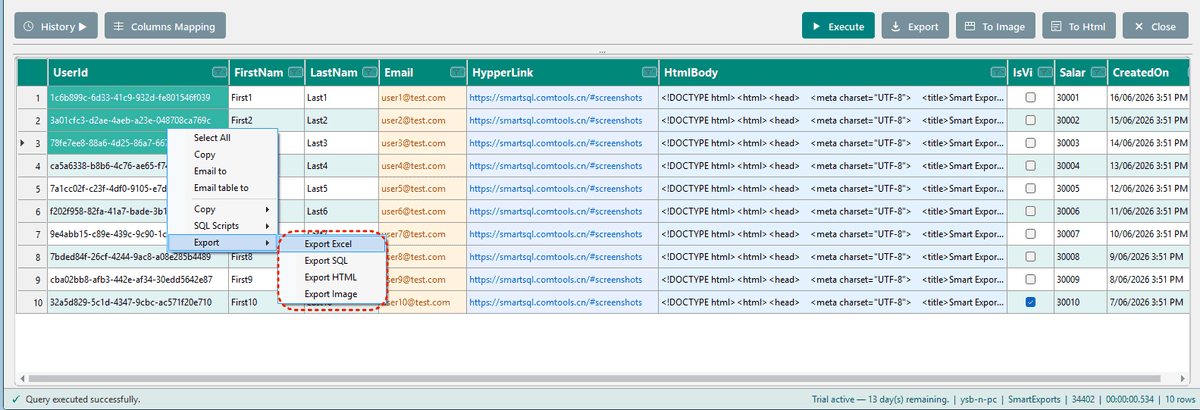
Context Menu
Copy, script, export, and email — all from the preview grid.
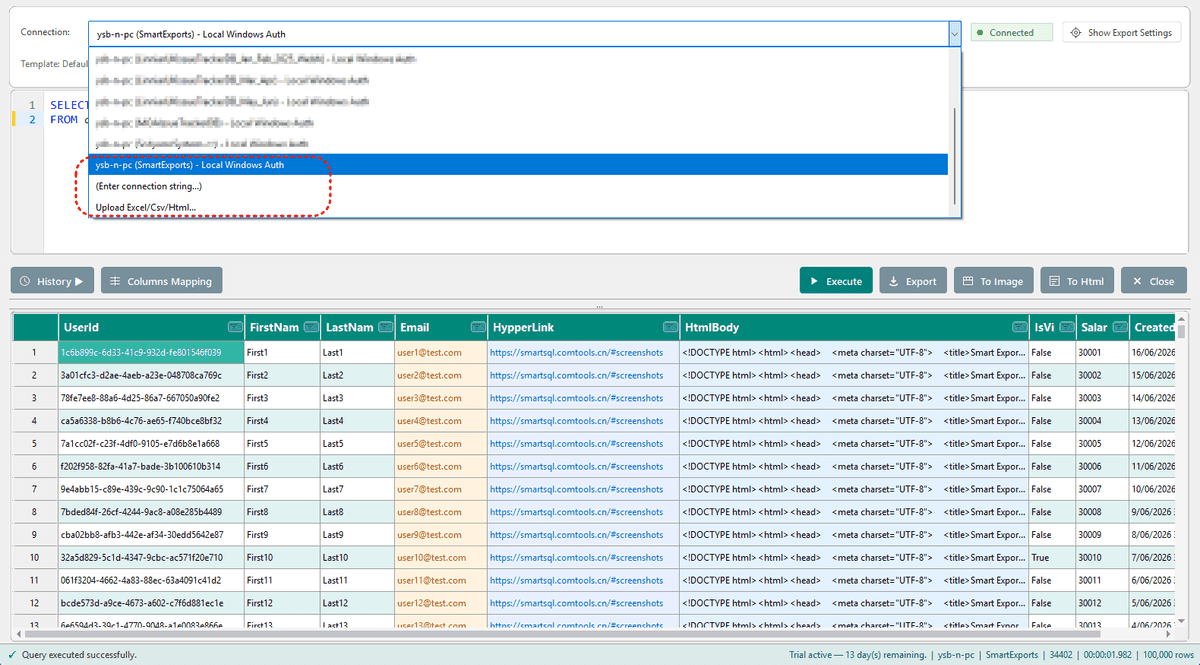
Connections
Reuse SSMS connections or upload Excel, CSV, and HTML files.
How it works
Three steps from install to professional export.
- 1
Install Smart Export
Download the installer, run it with admin rights, and restart SSMS.
- 2
Open Smart Export
Write or select SQL in a query window, then choose Smart Export from the menu.
- 3
Export beautiful results
Execute your query, preview results, and export to Excel, HTML, CSV, or image.
Simple, honest pricing
Start free. Upgrade when you need continued updates and support.
Free
- Full functionality
- 15-day free trial
- No credit card required
- All export formats
Pro
- Everything in Free
- Continued updates
Lifetime
Limited to the first 100 customers.
- Lifetime access
- All future updates
- Priority support
Frequently asked questions
Everything you need to know before installing.
Ready to upgrade your SQL workflow?
Export polished reports and edit data inline. Start free — upgrade when you're ready.